
Spring 源码阅读环境的搭建
前言
本文记录了 Spring 源码环境的搭建方式,以及踩过的那些坑!当前版本:5.3.2-SNAPSHOT。
环境准备
- Git
- JDK
- master 分支需要 JDK 11
- 5.2.x 分支, JDK8 即可
- Gradle 6.5.1
- IDEA 最新 (2020.2.3)
Spring 源码仓库地址:https://github.com/spring-projects/spring-framework
下载源码
- clone 源码
git clone https://github.com/spring-projects/spring-framework.git-
使用 IDEA 打开
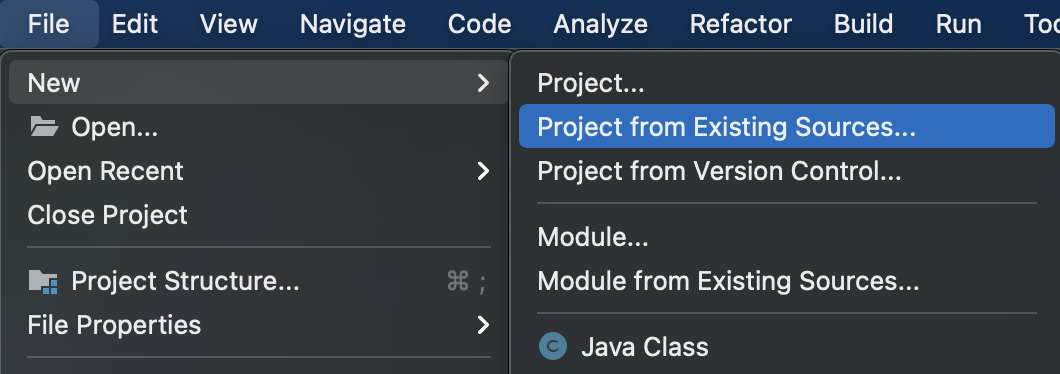
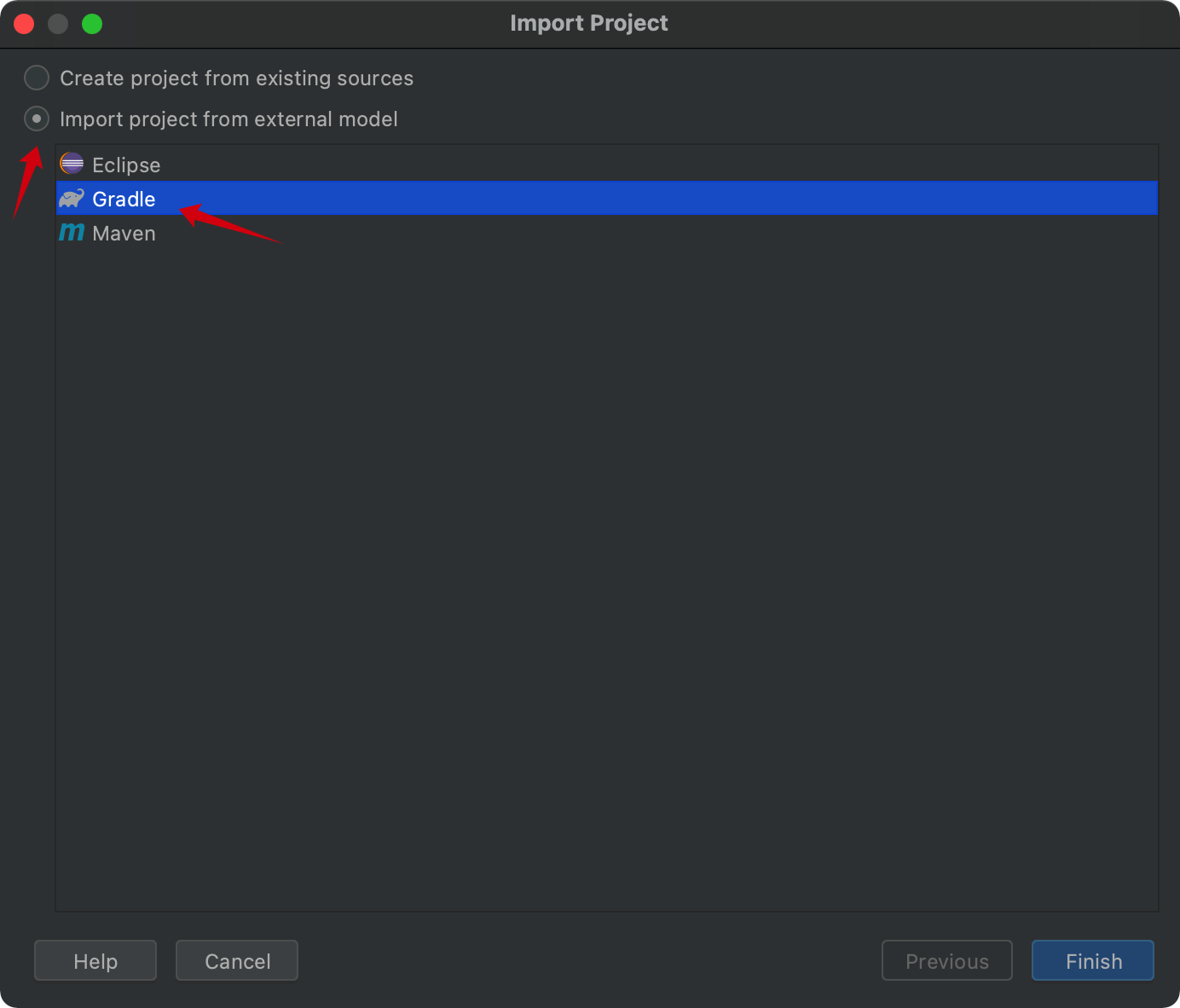
- 等待 IDEA 加载完成即可。
注: 也可以指定 clone 的分支
git clone -b 5.2.x https://github.com/spring-projects/spring-framework.git或者先 fork 到自己的仓库,然后再 clone。
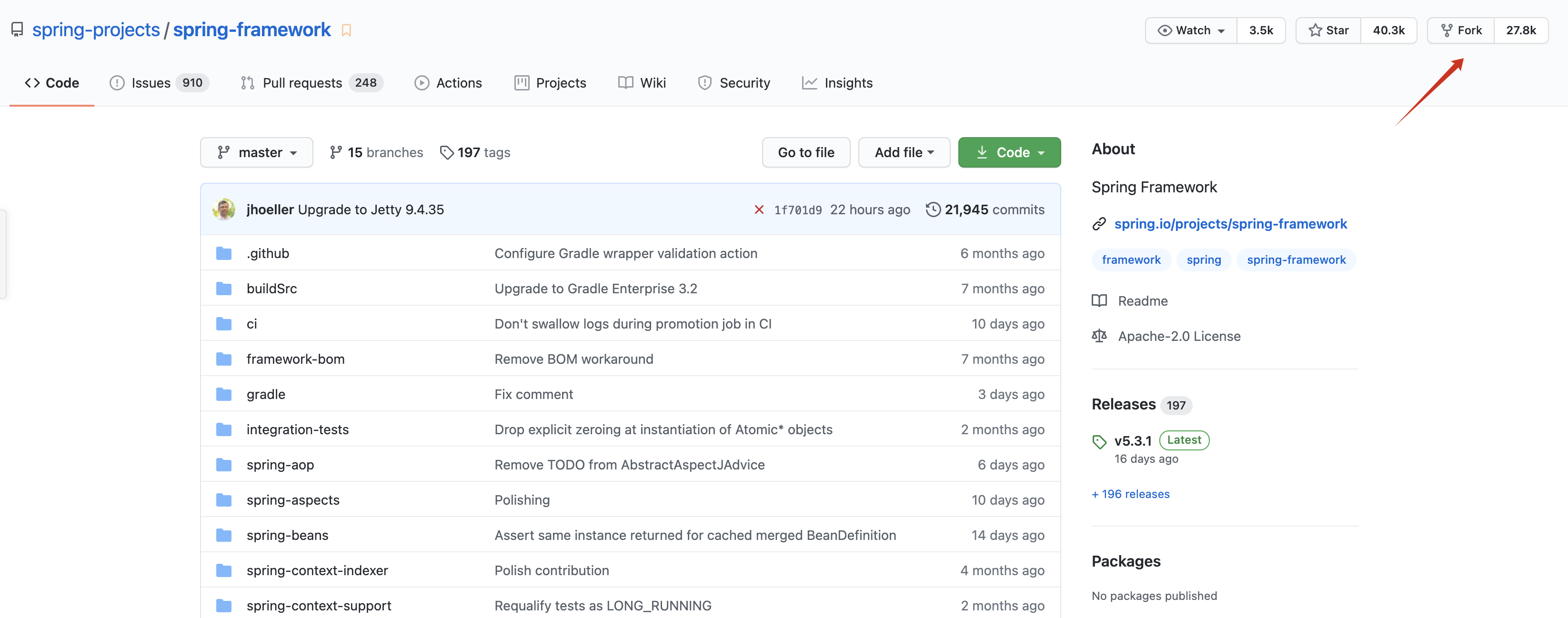
这里我是 fork 到我的仓库,然后再 clone 的。
当前 master 分支代表的版本为 5.3.2-SNAPSHOT。
执行测试
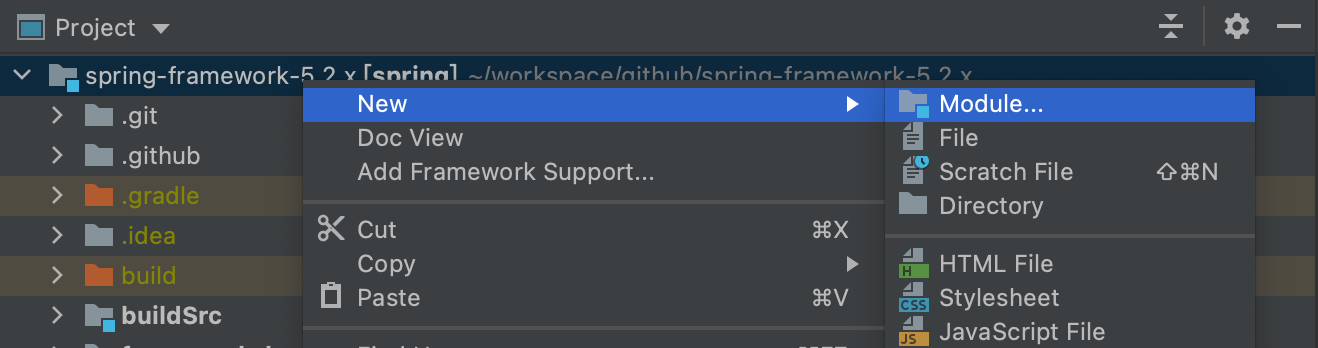
- 在项目右键创建
module
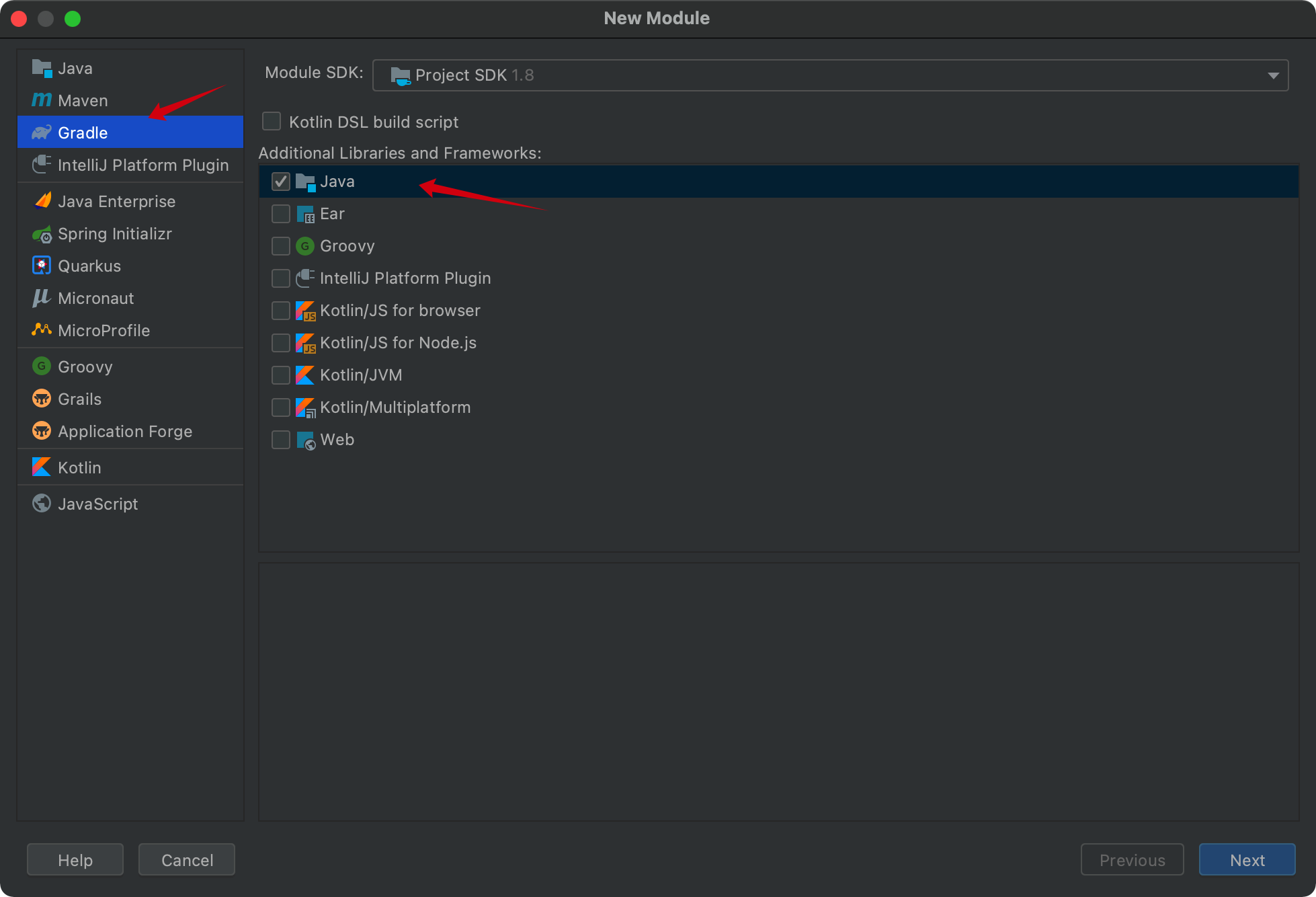
- 选择
GradleJava
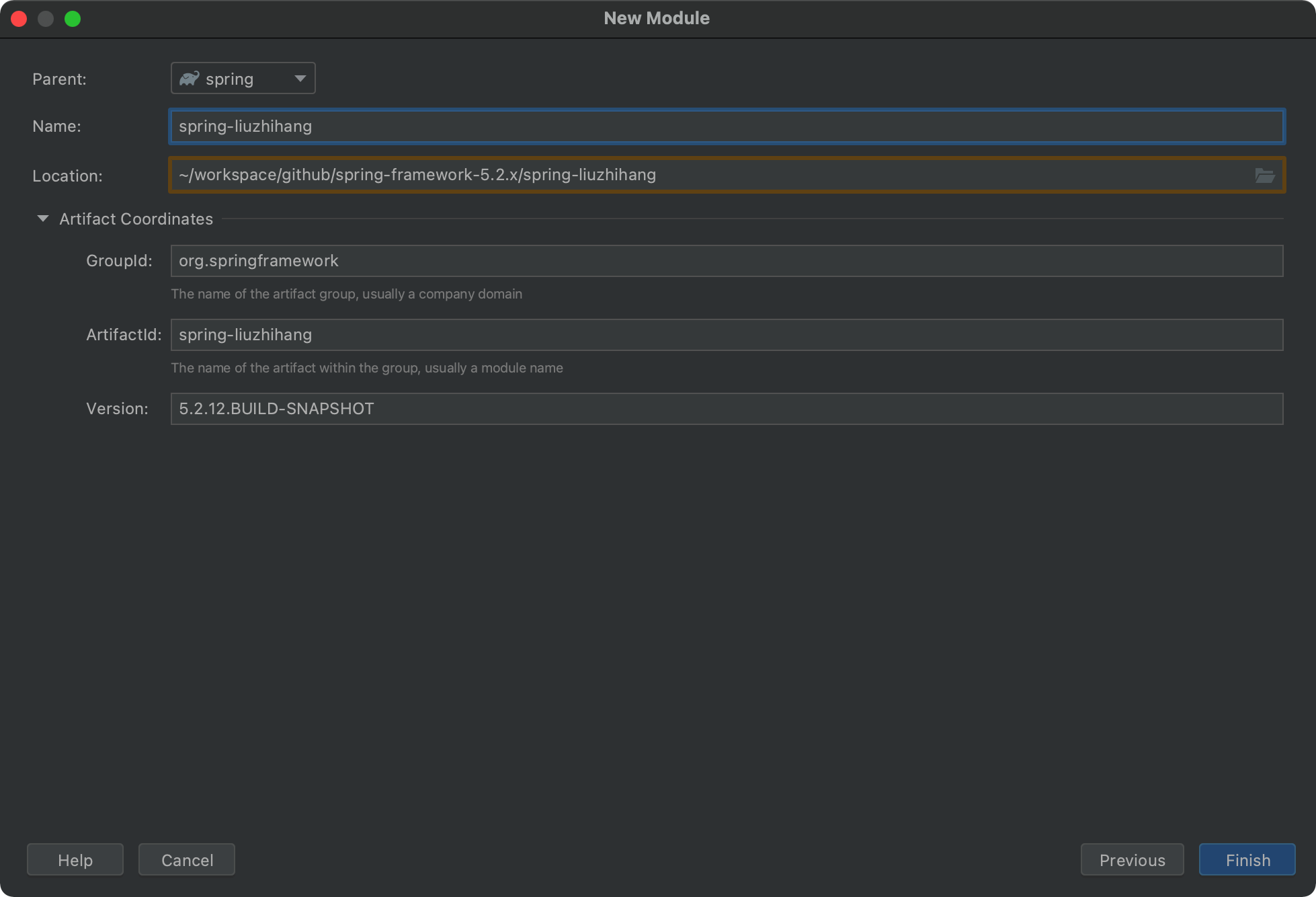
- 创建 module
- 在 build.gradle 中添加配置
compile(project(":spring-context"))
- 创建测试类并测试
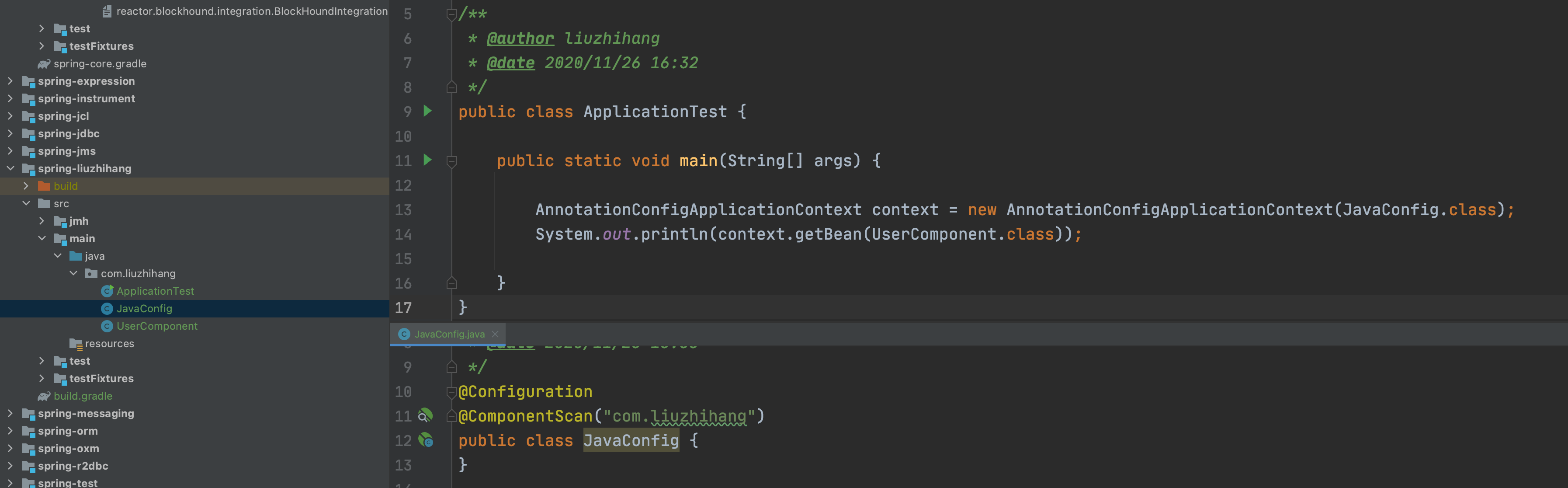
其中 UserComponent 添加了 @Component 注解, 程序正常执行则一切 OK。可以开始愉快的调试代码了。
问题总结
编译失败
有小伙伴直接下载 zip 包,可能遇到以下问题:(非常不建议直接下载 zip 包构建,想知道原因可以继续看,最后我也没有构建成功,而是直接通过 clone 构建的。)
- 报错如下:
fatal: not a git repository (or any of the parent directories): .git

BUILD SUCCESSFUL in 14s
Build scan background action failed.
org.gradle.process.internal.ExecException: Process 'command 'git'' finished with non-zero exit value 128
    ... 其他省略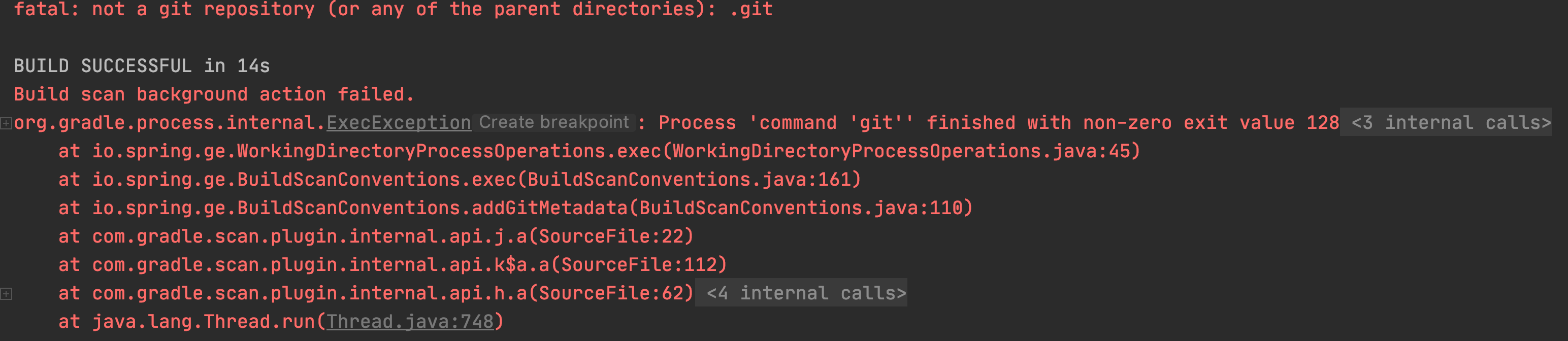
看意思是没有 git 配置,那就添加上吧!
- 这时候想着添加 git
VCS -> Enable Version Control Integration... -> 右上角 Reload All Gradle Projects
依然报错
fatal: Needed a single revision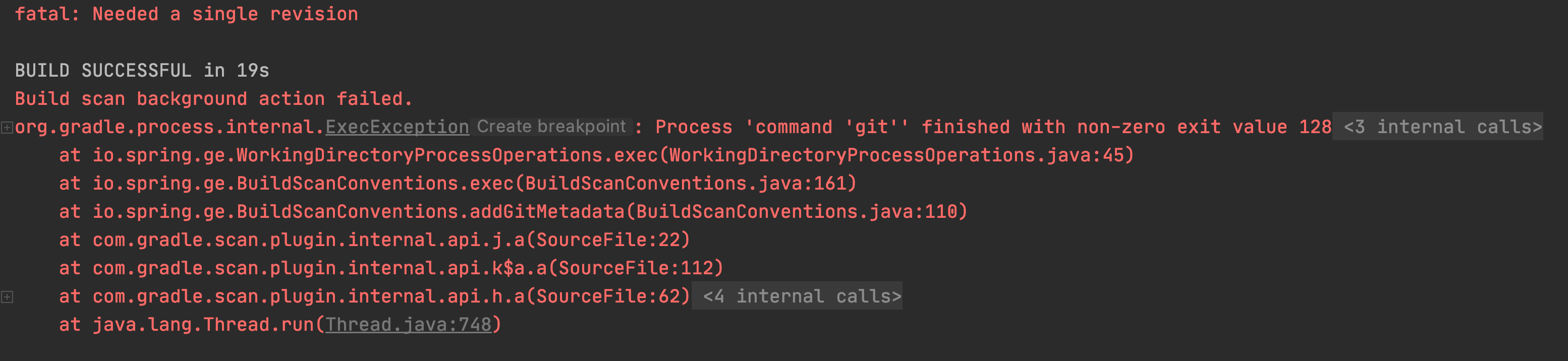
- 查询问题
issues 地址:https://github.com/spring-projects/spring-framework/issues/24467
建议使用
$ git clone git@github.com:spring-projects/spring-framework.git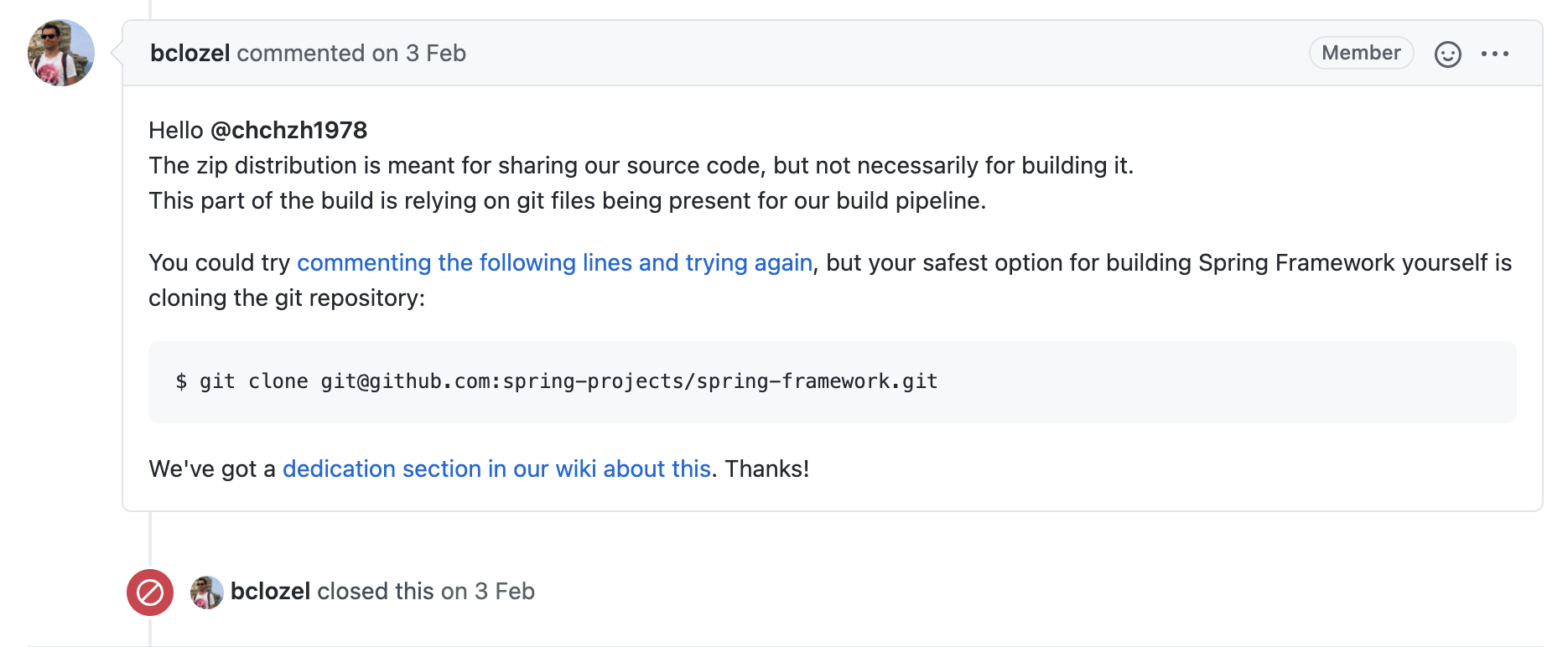
意思就是 zip 发行版主要是用来共享源代码,但不一定用于构建它。
- 最后我选择了使用 clone 的方式,直接 clone 下来,然后 build 通过。
缺少 cglib 和 objenesis 包
Kotlin: warnings found and -Weeror specified
没有 spring-cglib-repack 和 spring-objenesis-repack 包
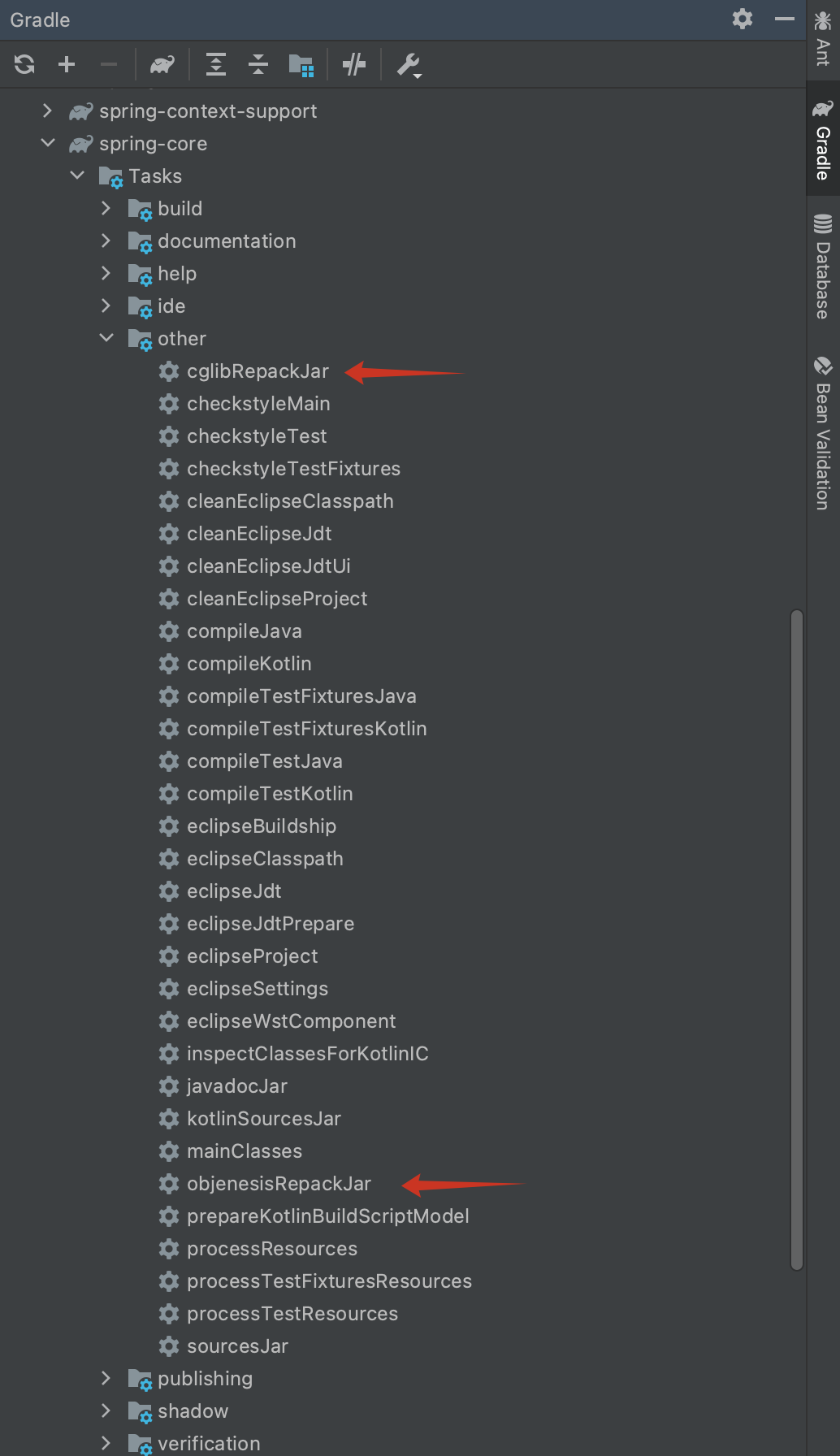
执行这两个即可。
找不到包 jdk.jfr
import jdk.jfr.Category;
import jdk.jfr.Description;
import jdk.jfr.Event;
import jdk.jfr.Label;
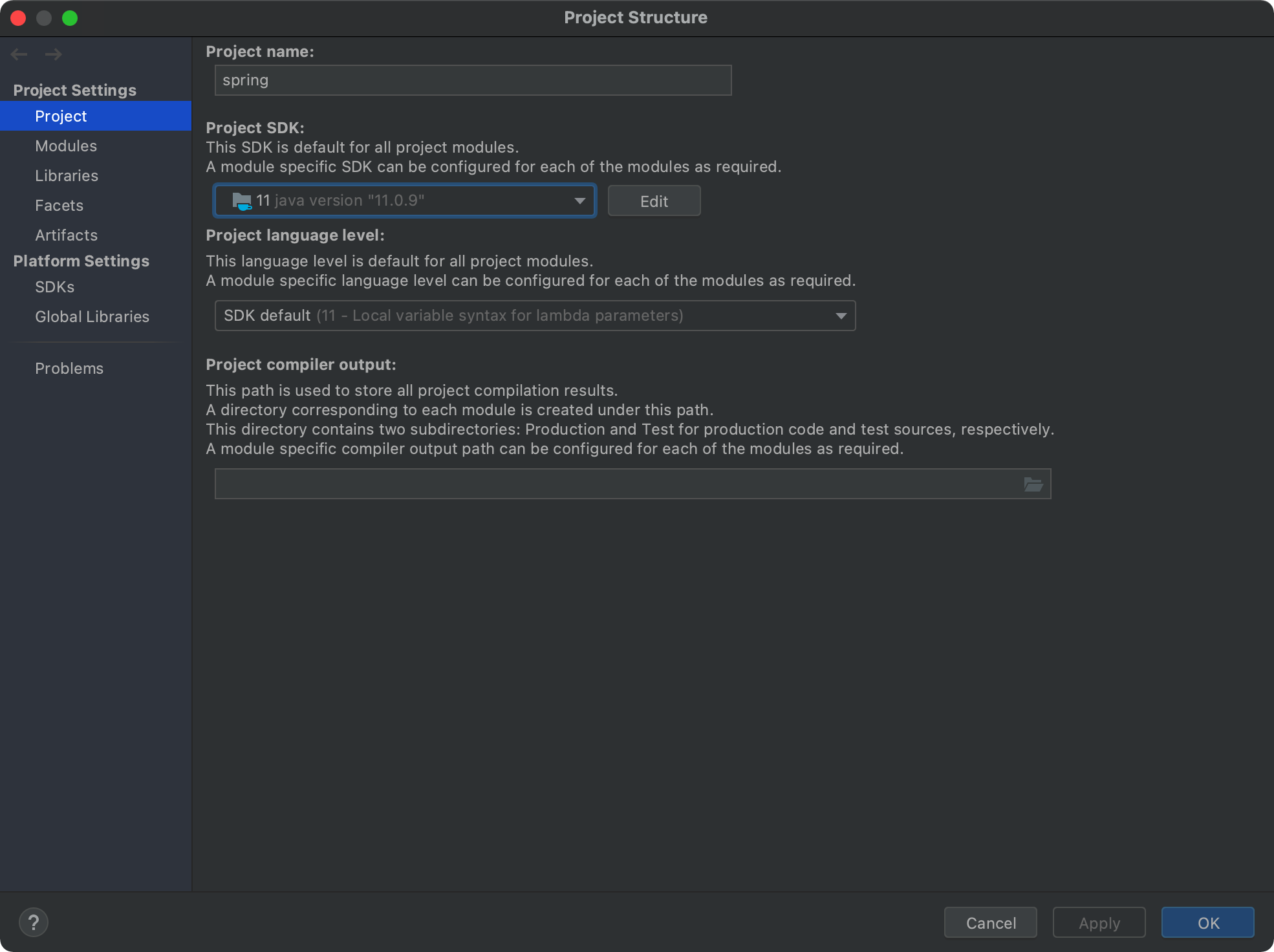
JDK 升级为 11。因为我本地使用的是 JDK8,发现报错,jfr 包需要升级 JDK 11 才有。
如果不生效,可以通过:
IDEA -> File -> Project Structure -> Project 检查下是否修改为 JDK 11
快捷键:⌘ + ;
相关资料
- Spring 仓库:https://github.com/spring-projects/spring-framework
- Spring 构建文档:https://github.com/spring-projects/spring-framework/wiki/Build-from-Source
隐私提示
昵称、网址和评论内容会公开显示,邮箱不公开。请勿在评论中填写敏感信息。